The job arrives
From your phone, or from your own website — the booking widget quotes from your rate card and files the lead before anyone picks up.
For onsite service vendors
Dispatch board, rate cards, a driver app with photo proof, live truck locations, and a booking widget for your own website — in one place, instead of a spreadsheet, a group chat and a phone that never stops.
Four moments. The software is the same one your office and your drivers are already looking at.
From your phone, or from your own website — the booking widget quotes from your rate card and files the lead before anyone picks up.
Drag it onto a driver. A delivery and a pickup are two runs, on two days, because that is how the work actually behaves.
They see only today's runs, navigate in one tap, and photograph the service, the material and the weight ticket. The office watches the truck move on a map.
Overweight, extra days and dry runs land as charges with the ticket attached. The customer gets a link, signs, and pays by card.
Inside the platform
Every load that goes out unmeasured is margin you find out about at the end of the month, when it is too late to do anything. These are the screens that make that impossible.
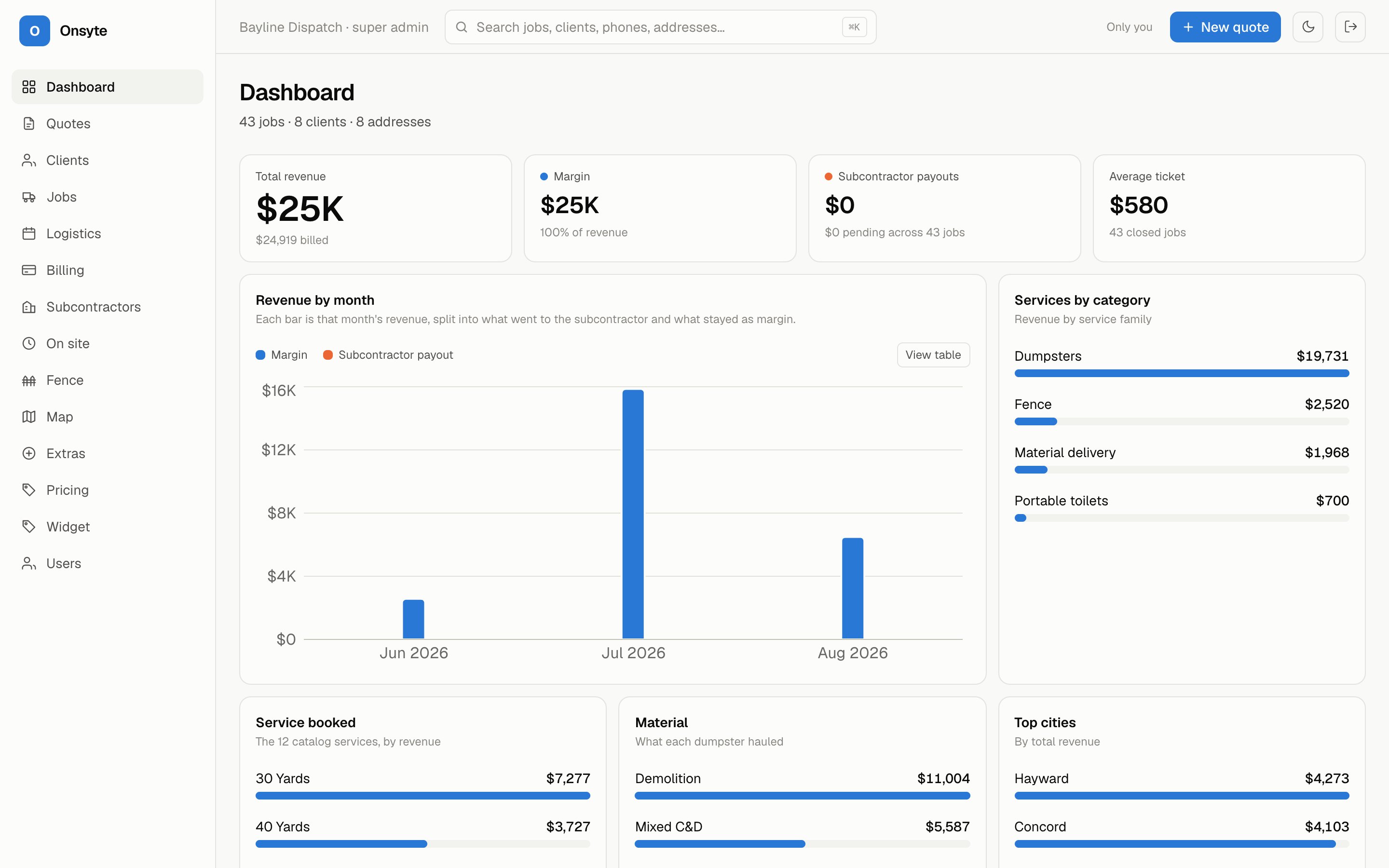
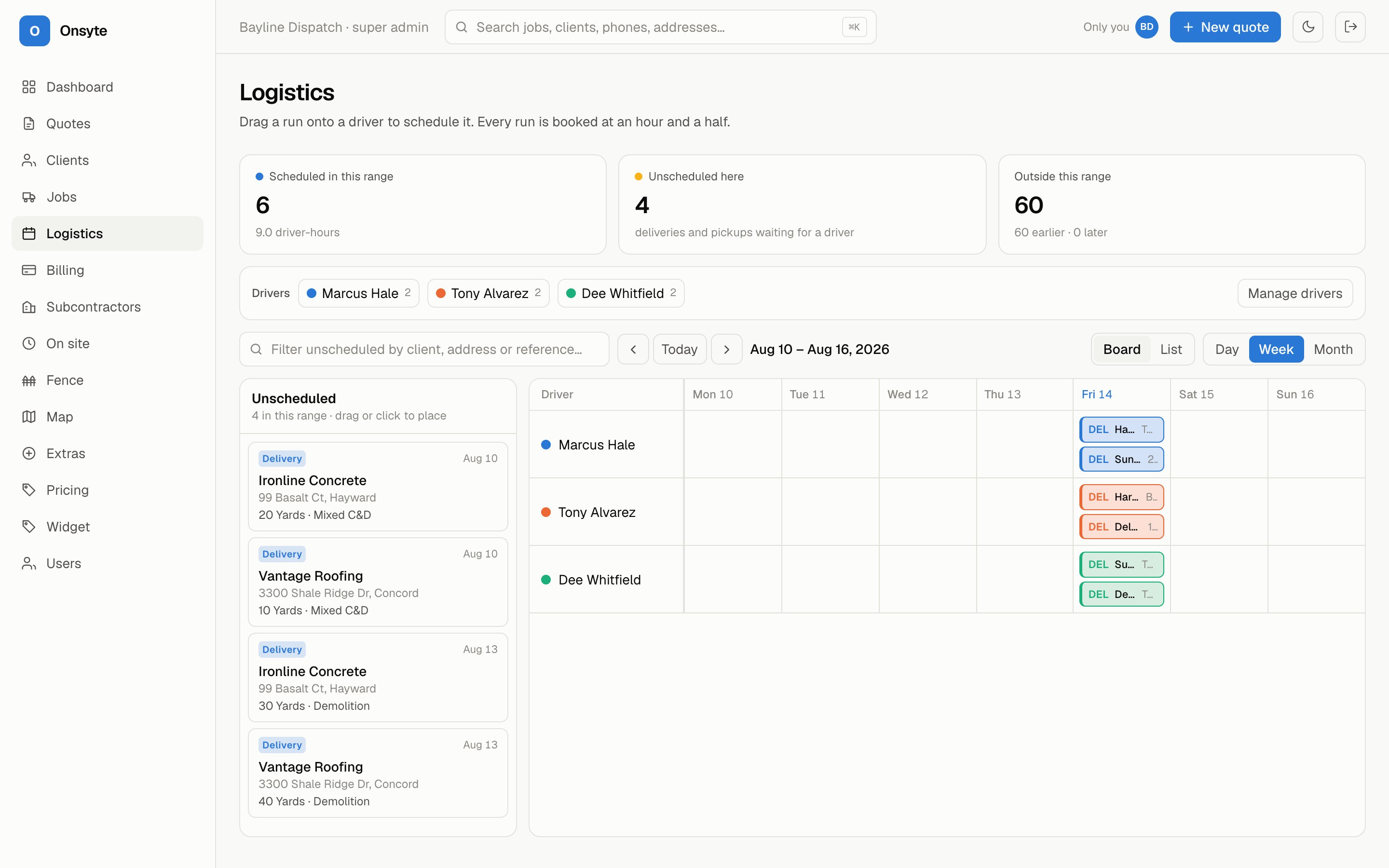
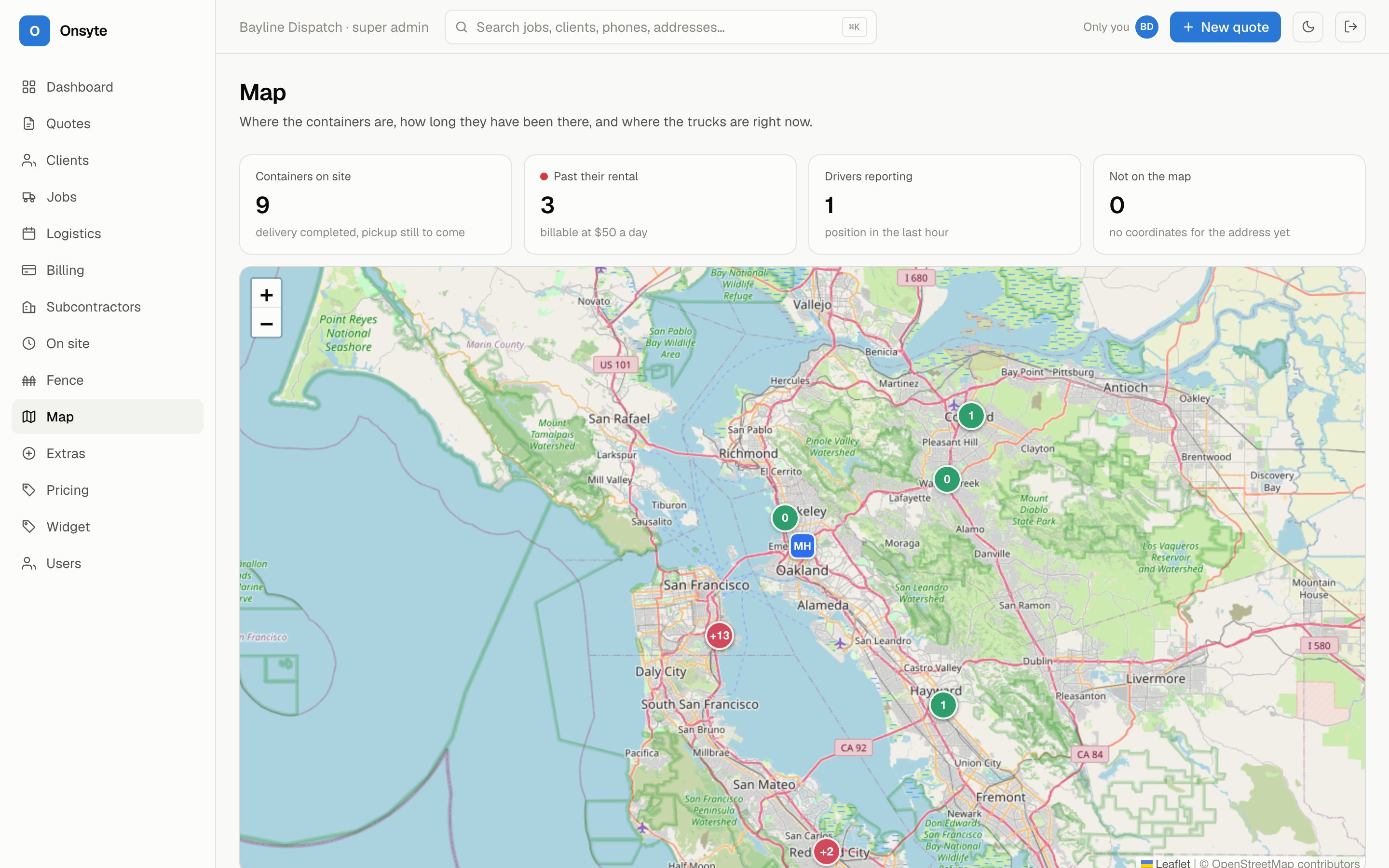
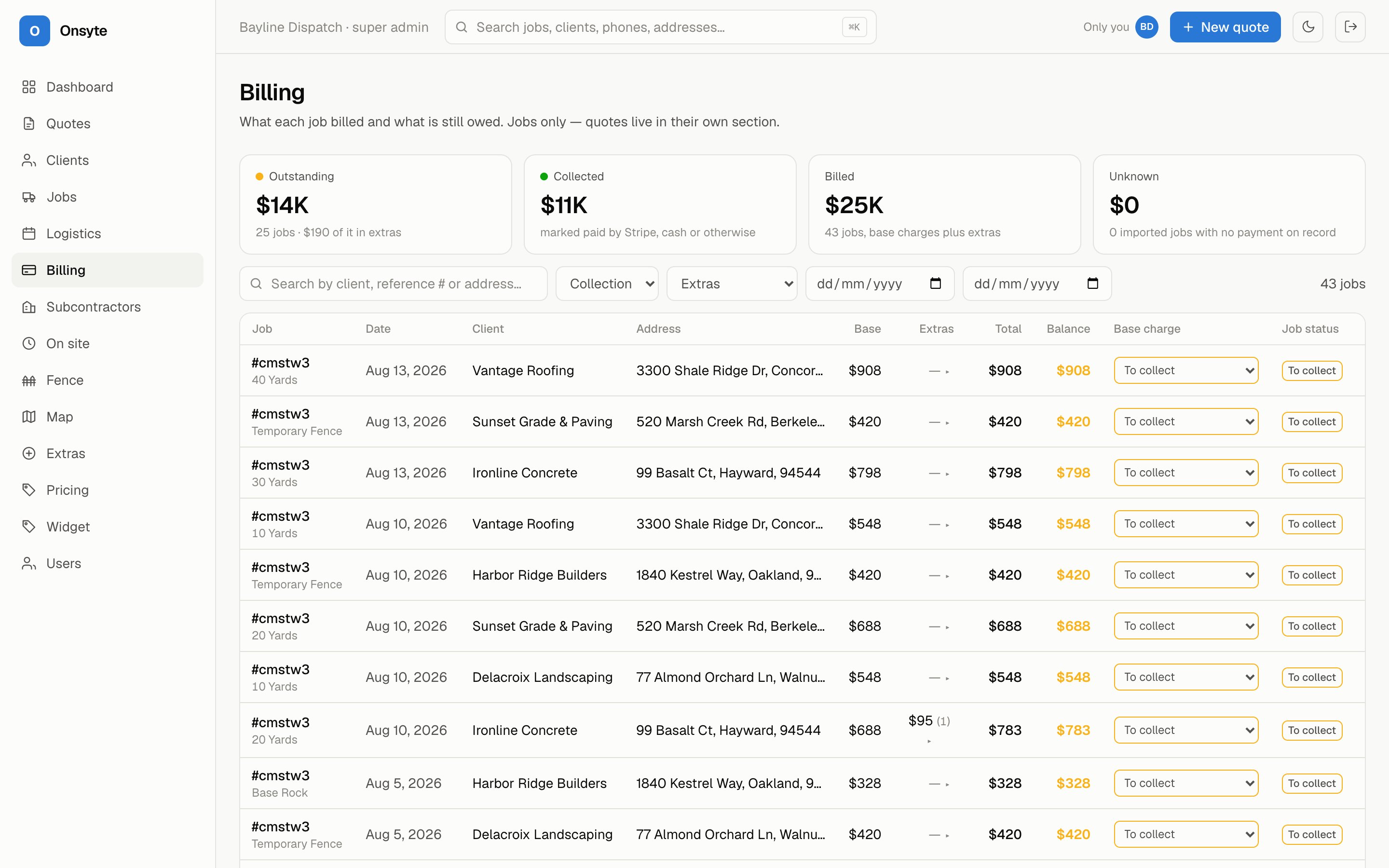
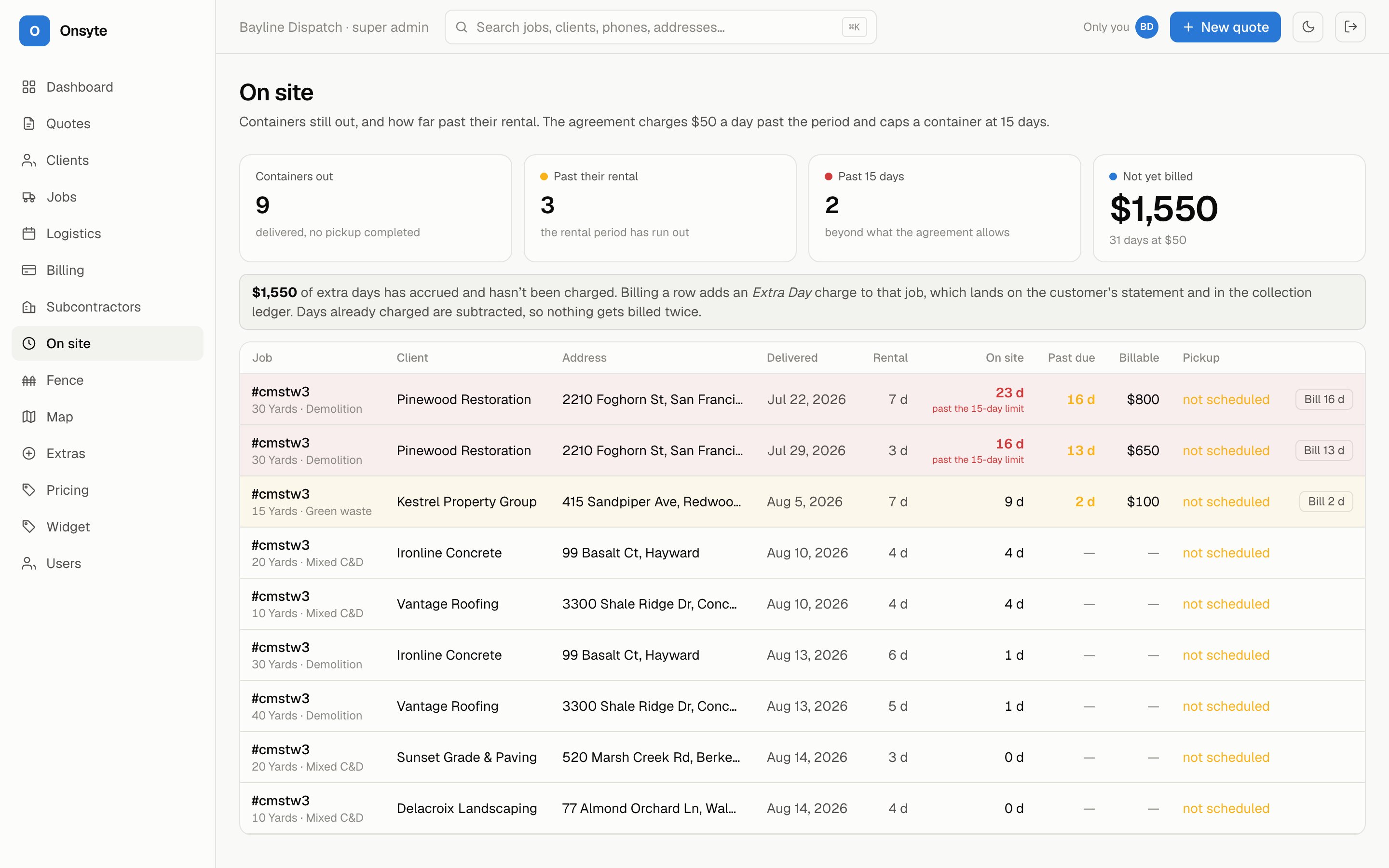
Screens from a demo company — every client, address and figure in them is invented.
Anything that gets dropped at a site, sits there, and gets picked up. The details differ; the shape of the day does not.
Customer portal
Every customer gets their own sign-in — no account to create, just the email you already have on file. They see their projects, what each one cost, and the truck moving toward them.
Every site they have work at, what is standing there now, and what has been collected — across every job you have ever run for them.
Spend this month, spend all time, and what is outstanding on the statements you issued. A builder pricing their next phase stops guessing.
The service photo, the material photo and the weight ticket behind every overweight charge — attached to the job, visible to them.
When your driver marks a run started, the customer sees how far out it is and roughly how long. They plan the crew around it instead of paying people to wait.
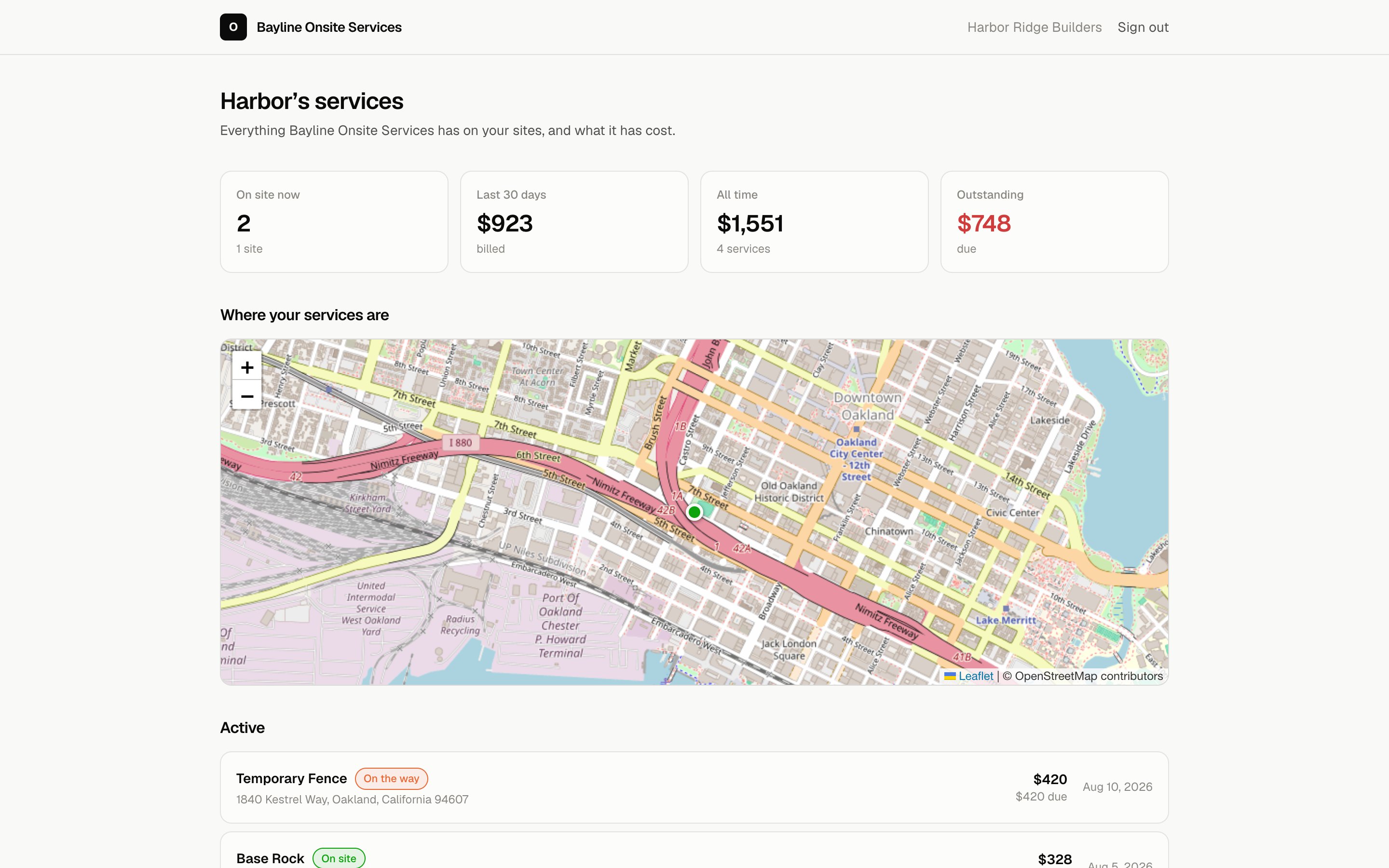
Live position appears only while a run is actually out, and only to the customer that run is going to. Screens from a demo company — every client, address and figure is invented.
Two lines on your site and customers can book at your real rates. Raise a price in Onsyte this morning and the website quotes it this afternoon — because there is only one rate card, and the widget reads it.
<div id="onsyte-booking"></div>
<script src="https://app.getonsyte.com/widget.js"
        data-key="pk_live_…"></script>
Works on whatever your site is built with. It renders in an iframe, so your stylesheet can't break it and no script on your page can read what a customer types.